

Phase 1: Set Up Insights and Outcomes in Your Course
Before data can be viewed in Insights, the tool must be available in the course navigation and outcomes must be available in the course.
Enable Insights and Outcomes in Course Navigation
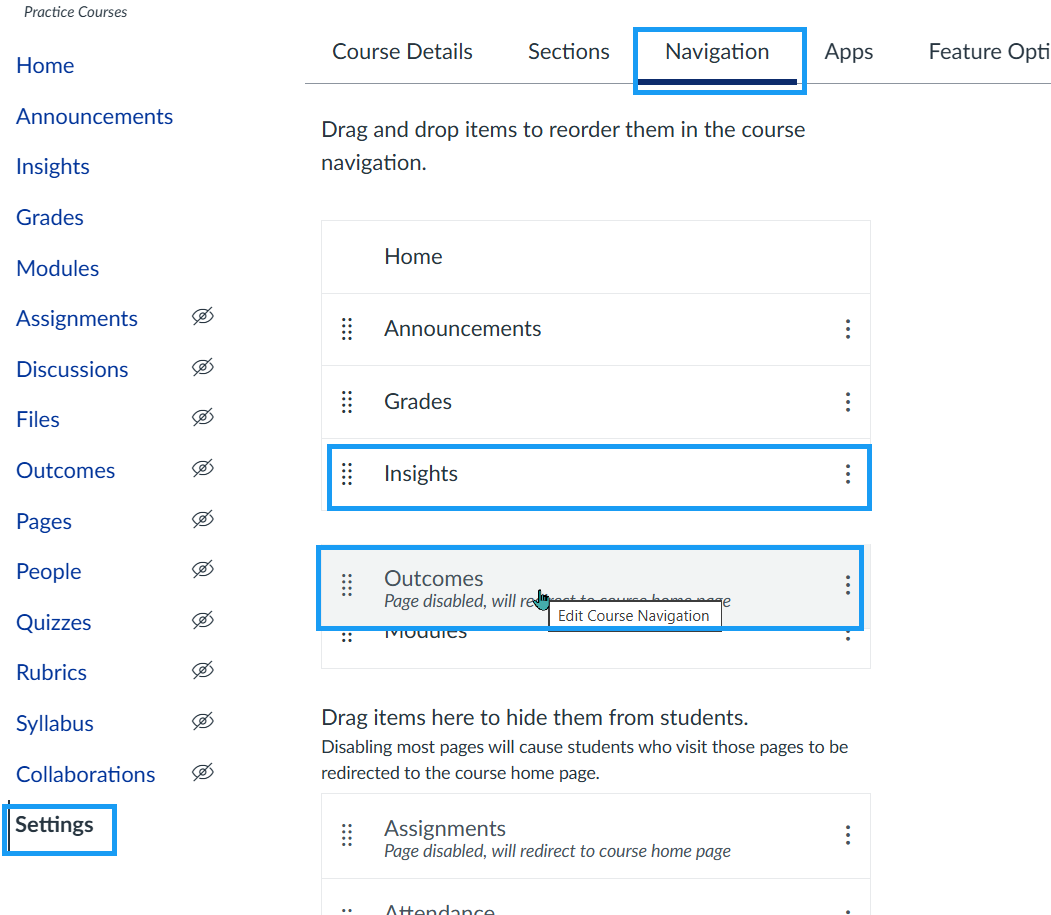
- Go to Settings at the bottom of your course navigation.
- Click the Navigation tab near the top of the page.
- In the list of navigation items, find Insights and Outcomes.
- Enable each item by either:
- Dragging it into the top (enabled) section, or
- Selecting the three-dot menu next to the item and choosing Enable.
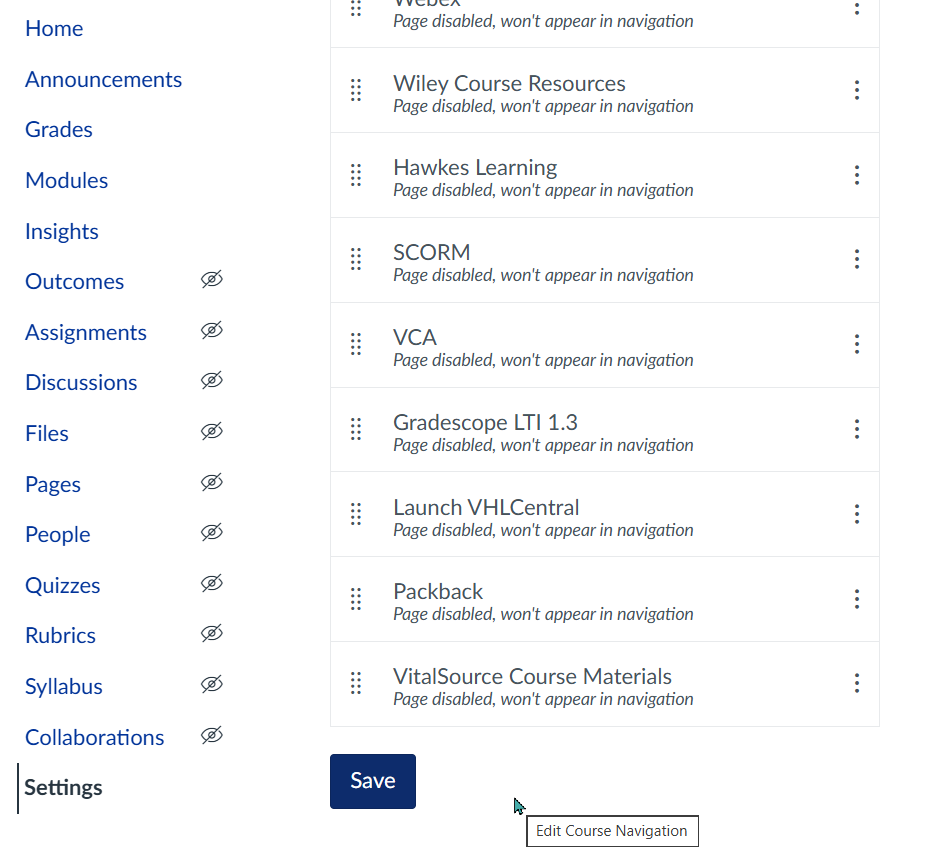
- Scroll to the bottom and click Save.
Add or Import Outcomes
- Click Outcomes in Course Navigation.
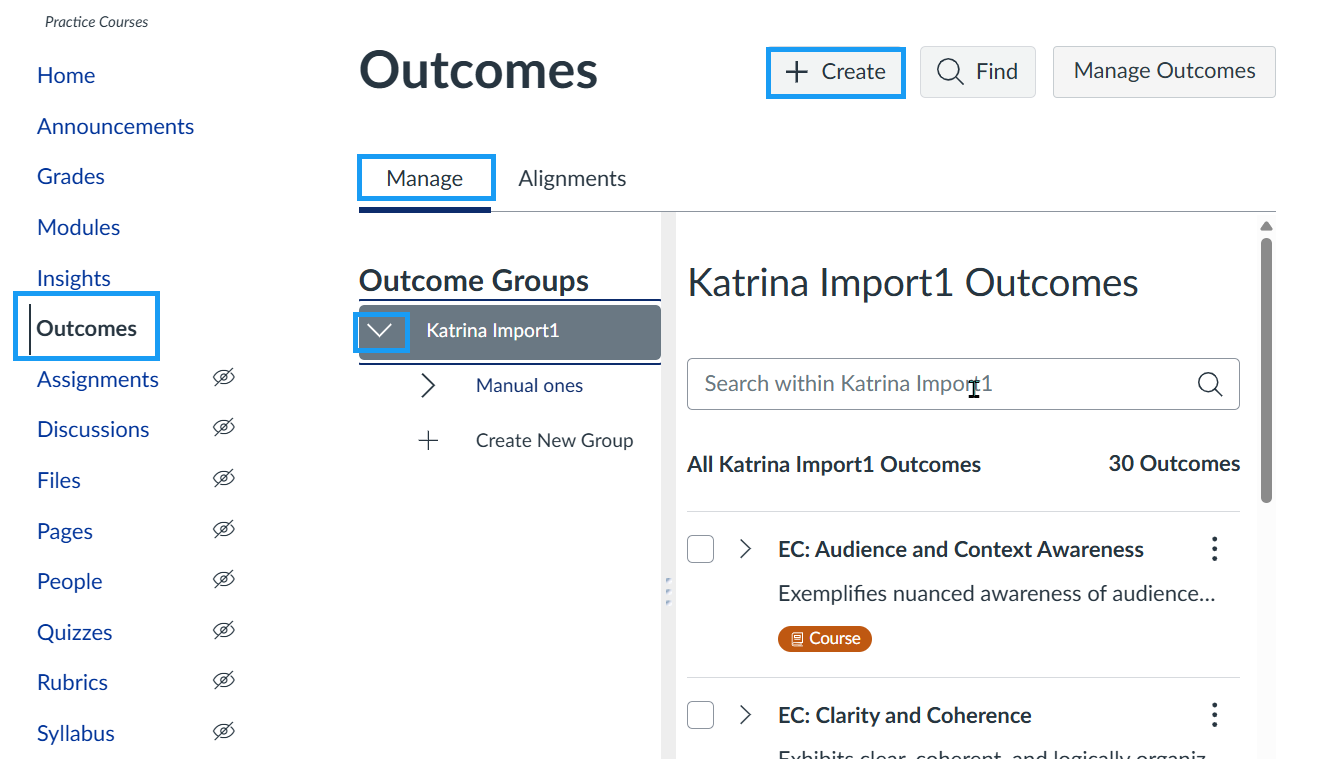
On the Outcomes page, outcomes can be added or located in two ways:
- Locate existing outcomes: Select the Manage tab to view outcomes already associated with the course or previously created outcomes that can be added.
- Create a new course-level outcome: Select the + Create button in the top-right corner.